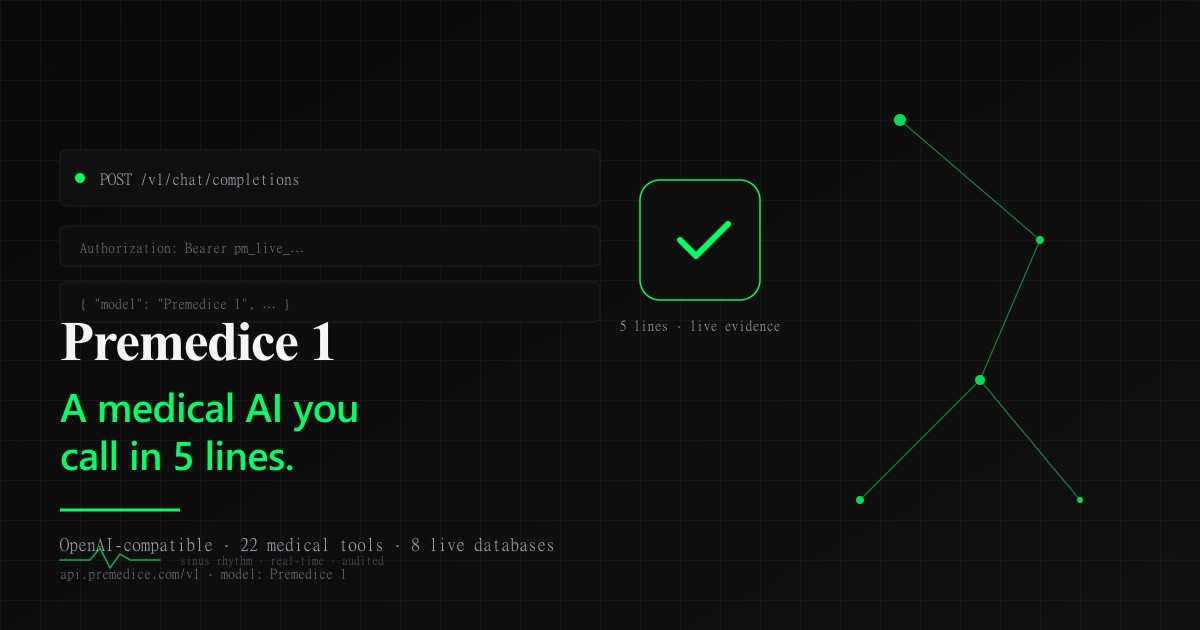
Premedice 1 API: A Medical AI You Can Call in 5 Lines
Summary & Key Takeaway
Premedice 1 is a single medical-specialist AI you can reach through a normal OpenAI-compatible endpoint. One API key, one model name, and 22 always-on medical tools handle live evidence search, drug-interaction checks, and clinical calculators on the server. This guide shows the 5-line connect, four real ways teams use it today, and how it pairs against Med-PaLM 2, Med-Gemini, Meditron, and OpenEvidence.
?? Core Insights
- One endpoint, one model name: `Premedice 1`, no model router to learn.
- 5-line connect from any OpenAI SDK (Python, Node, LangChain, curl, opencode).
- 22 always-on medical tools search live evidence and run safety checks on every request.
- Same credit balance powers the in-app chat and the API, and billing only happens on success.
- Emergency short-circuit is free: acute queries get a 911/ER response and no credit charge.
Try it yourself — free
Experience the medical AI that powers this article. Ask questions, check symptoms, or analyze lab results.
Not sure which tool fits? Compare what Premedice does.
What Premedice 1 actually is
Premedice 1 is a specialist medical AI you call through a standard OpenAI-shaped endpoint. You send the same JSON you would send to any chat-completions API, with the model set to `Premedice 1`, and the server does the rest. Every request is processed by a system that searches live medical evidence, runs safety checks, and cites its work before it answers.
The point is to remove the model-picking tax. You do not choose an underlying engine, you do not write a router, and you do not need to learn a new SDK. The endpoint returns the OpenAI response shape you already know, with two extras: a `premedice_meta` block in the body and a set of `X-Premedice-*` response headers for callers that want them.
Because it speaks the same wire format as OpenAI, you can plug Premedice 1 into opencode, Cursor, Continue.dev, Aider, LibreChat, LangChain, or any other client that accepts a custom OpenAI base URL. One config change, and your existing tooling now has a medical specialist on the team. The model pipeline stays internal so callers do not have to think about it, and the philosophy behind that choice is captured in [Hidden Medical AI Models Foundation](https://premedice.com/news/hidden-medical-ai-models-foundation).
The 5-line connect
From any OpenAI SDK, the connect is five lines. Point the base URL at Premedice, paste your key, and set the model name. The call below is the full setup; the body of the request is whatever question you want answered.
```python from openai import OpenAI client = OpenAI(base_url="https://api.premedice.com/v1", api_key="pm_live_xxxx") resp = client.chat.completions.create(model="Premedice 1", messages=[{"role": "user", "content": "First-line treatment for H. pylori?"}]) print(resp.choices[0].message.content) ```
The same shape works for the official openai Python and Node SDKs, for LangChain's `ChatOpenAI`, and for raw curl with `Authorization: Bearer pm_live_�`. The `stream` flag is on by default, so you can pipe tokens straight to a UI without buffering. Every response also carries rich metadata: the tools that ran, the sources returned, the confidence level, and the latency in milliseconds, which is enough to build a transparent UI without inventing a side channel.
Four ways teams use Premedice 1 today
**Inside a clinician copilot.** EHR vendors and ambient-scribe startups route a clinician's draft note to Premedice 1 and get back a structured suggestion list with inline citations from [PubMed](https://pubmed.ncbi.nlm.nih.gov/about/), [DailyMed](https://dailymed.nlm.nih.gov/dailymed/), and [openFDA](https://open.fda.gov/about/). The same call returns a confidence score so the UI can flag low-certainty answers for human review instead of presenting them as verdicts.
**As a triage layer in a patient chat.** Patient-facing apps call Premedice 1 with the patient's question and a short symptom summary. The API runs the emergency pre-check first, and if the query is acute, it short-circuits to a 911/ER response and bills nothing. For non-acute questions, the same call returns a patient-friendly answer that cites real evidence, so the chat surface can show its work without rebuilding a medical search stack on its own.
**Inside a research notebook.** A medical writer or PhD student runs a literature question through the same endpoint, then calls again to draft a one-page summary or a comparison table. The `premedice` request field lets them switch the audience to `researcher` and the format to `structured` without changing the SDK, which keeps the workflow inside a single tool. A few prompt patterns that hold up well across research workloads are collected in [Medical AI Prompt That Gets Better Answers](https://premedice.com/news/medical-ai-prompt-that-gets-better-answers).
**As a decision-support hook in a custom LLM stack.** Teams already using opencode or Cursor for general coding call Premedice 1 as one of several providers. When the question is medical, the routing layer sends it to `Premedice 1`; when it is not, it stays on the general model. The credit balance is shared across the in-app chat and the API, so the same wallet covers both, and the framing we use for that routing is described in [What Is Clinical Suspicion AI](https://premedice.com/news/what-is-clinical-suspicion-ai).
How Premedice 1 compares to other medical AIs
Med-PaLM 2 and Med-Gemini are Google's clinical research models. They post strong USMLE-style benchmark numbers, and Med-Gemini handles multimodal inputs like images and waveforms. Premedice 1 is positioned differently: it is a hosted endpoint you can call today, with a server-side evidence loop, citations, and clinical safety tooling pre-wired. You do not have to fine-tune, host, or integrate the medical search yourself, and the deeper comparison against the rest of the field is in [Best AI Medical Models Compared](https://premedice.com/news/best-ai-medical-models-compared). For the Med-PaLM 2 background specifically, see [Med-PaLM 2 Medical LLM](https://premedice.com/news/med-palm-2-medical-llm), and for Med-Gemini's design, [MedGemma: Open Medical AI](https://premedice.com/news/medgemma-open-medical-ai).
Meditron is an open-weights 70B model from EPFL. It is great for teams that want to run a medical LLM on their own hardware, but you bring your own evidence retrieval, your own safety layer, and your own citations. Premedice 1 ships with all of those so the team can stay focused on the product surface, not the plumbing, and that is the same trade-off a hospital makes when it picks a hosted endpoint over a self-hosted weights deployment.
OpenEvidence is a clinical evidence search tool, not a chat API. It is excellent at surfacing guideline citations for a single question and less suited to long-form, multi-step clinical reasoning. Premedice 1 returns a written answer with cited evidence inside the same response, which is closer to what a copilot or a chat surface needs when the user does not want to read three guideline PDFs to make a decision.
Hippocratic AI focuses on nurse-style agentic workflows and Glass Health sits next to the clinician as a draft-note assistant. Both are good at their lane. Premedice 1 is the generalist endpoint that you can drop into any of those stacks when they need an evidence-backed, citation-grade answer under the hood, without re-implementing the medical search plumbing they would rather not own.
Premedice app attributes
The same Premedice account powers a full clinician-facing app at `app.premedice.com`. Sign in once and you get a chat workspace that holds patient context, a document analyzer that reads PDFs and lab panels, a structured patient-data extractor for intake forms, and a dashboard that tracks usage and credits. The app runs on Next.js with Stripe and EPS bank transfer, and the security posture is documented in [Zero-Knowledge Privacy Architecture](https://premedice.com/news/zero-knowledge-privacy-architecture).
Payments are run through Stripe and EPS, with per-token credit pricing that is identical between the app and the API. That means the credits you buy for in-app chat also cover API calls, and the usage you see in the dashboard is the single source of truth across both surfaces. There is no separate billing relationship, no second invoice, and no chance of two different totals at the end of the month.
API keys are issued from the same dashboard. Open Settings ? API Keys, click New key, name it after the tool you are wiring it into, and copy the `pm_live_�` value. You can set per-key rate limits, rotate keys, and revoke them without touching production code, and every request is audit-logged in the `api_usage` table for traceability across the team and across time.
Safety is consistent across the app and the API. Emergency detection, the prompt-injection filter, the forced citation rule, and the audit log all run the same way, and the forced disclaimer at the end of every response is the same. There is no separate API mode you have to defend in a compliance review, which is the entire point of building one product instead of two.
Getting started in the next ten minutes
If you only have a few minutes, do this. First, go to [app.premedice.com/login](https://app.premedice.com/login) and sign in or create an account. Second, open Settings ? API Keys and generate a key named after the tool you are about to wire it into. Third, point any OpenAI SDK at `https://api.premedice.com/v1` with that key and `Premedice 1` as the model.
For the full setup with Python, Node, LangChain, opencode, Cursor, Continue.dev, error codes, and streaming examples, the docs walk through it in under five minutes. The link is [app.premedice.com/docs/api-quickstart](https://app.premedice.com/docs/api-quickstart), and the same page lists the eight always-on medical tools so you know exactly what Premedice 1 can do before you send the first call. The whole flow, from key generation to first cited answer, fits inside a coffee.
Ready to try Premedice?
Get instant, AI-powered explanations of your lab results and symptoms — powered by 300+ medical databases.
Continue Reading




Most Popular
Best AI Medical Models in 2026: MedQA Scores Compared
ResearchMedGemma: Open-Source Medical AI That Runs on Your Hardware
TechnologyMed-PaLM 2: 86.5% MedQA Score, Zero Doctors Using It (2026)
ResearchAI Symptom Checker Architecture: How Premedice Cuts Hallucinations 3.8x
TechnologyMedical AI Privacy: AES-256 + Zero-Knowledge Architecture
SecurityDr. Elena Rostova, MD, PhD
Dr. Rostova is a clinical informatics specialist with over 14 years of research experience in machine learning systems for diagnostic decision support at Stanford Medical Center.
Expert Takeaway
Premedice 1 is decision support, not a medical device. It is not FDA-cleared and is not for emergency use, so treat every answer as a starting point for your own clinical reasoning and route acute presentations to your local emergency number.
Browse by Topic
QFrequently Asked Questions
Q1Is Premedice 1 a single model or a wrapper around other LLMs?
`Premedice 1` is the public name of Premedice's medical-specialist AI. From the caller's side it behaves like one model: you set the model field to `Premedice 1` and you get one response shape, one set of tools, and one billing rate. You do not pick an underlying engine, you do not write a router, and you do not need to know which model answered. The product is the specialist itself, and the model pipeline stays internal so callers do not have to think about it.
Q2Do I need a paid plan to use the Premedice 1 API?
Yes. API access is part of the paid Premedice plan. Sign in at app.premedice.com/login, open Settings ? API Keys, click New key, name it, and copy the value. The key is shown once and looks like `pm_live_�`. Free accounts see an upgrade prompt instead of the New key button. Per-key rate limits and monthly caps can be set from the same dashboard without code changes.
Q3How is Premedice 1 different from asking ChatGPT or Claude for medical questions?
General chat models do not search PubMed, openFDA, DailyMed, or RxNorm before they answer, and they do not block or auto-respond to emergencies. Premedice 1 does both on every request, cites every factual claim inline, runs drug-interaction checks whenever two or more drugs are mentioned, and runs clinical calculators when the inputs are present. The server-side system prompt and the 22 always-on tools are not something the caller can opt out of, which is the point.
Q4Can I stream responses and inspect what the model did?
Yes. Pass `stream: true` and consume the SSE events like any other OpenAI endpoint. Every response also returns rich metadata in the body under `premedice_meta` and in response headers prefixed with `X-Premedice-`. Useful headers include `X-Premedice-Tools-Used`, `X-Premedice-Sources-Count`, `X-Premedice-Confidence`, `X-Premedice-Latency-Ms`, and `X-Premedice-Emergency-Bypass`. That makes it cheap to build a UI that shows the user which databases were searched and how confident the answer is.
Q5Is Premedice 1 cleared by the FDA or a regulated medical device?
No. Like every clinical decision-support tool in this category, Premedice 1 is not a medical device and is not FDA-cleared. It is for clinician decision support, education, and workflow acceleration, not for autonomous diagnosis or emergency triage. The forced disclaimer at the end of every response cannot be opted out of, and the emergency pre-check routes acute queries to a 911/ER response with no credit charge.
Verified References & Literature
PubMed: About the NLM's biomedical literature database
U.S. National Library of Medicine, 2024
View SourceopenFDA: About the FDA's open health data platform
U.S. Food and Drug Administration, 2024
View SourceEthics and governance of artificial intelligence for health
World Health Organization, 2021
View SourceRxNorm: About the NLM's drug normalization terminology
U.S. National Library of Medicine, 2024
View SourceGet a structured second read in seconds
Upload lab results, describe symptoms, or ask about a diagnosis — Premedice gives you medically-grounded answers backed by 30+ clinical databases.